
1. Destpêk
This manual provides detailed instructions for the operation and maintenance of your Microware EZCAP230 Cassette to MP3 Converter. This device allows you to convert your old cassette tapes into digital MP3 format, preserving your audio memories. It can function as a standalone converter or connect to a computer for conversion and playback.
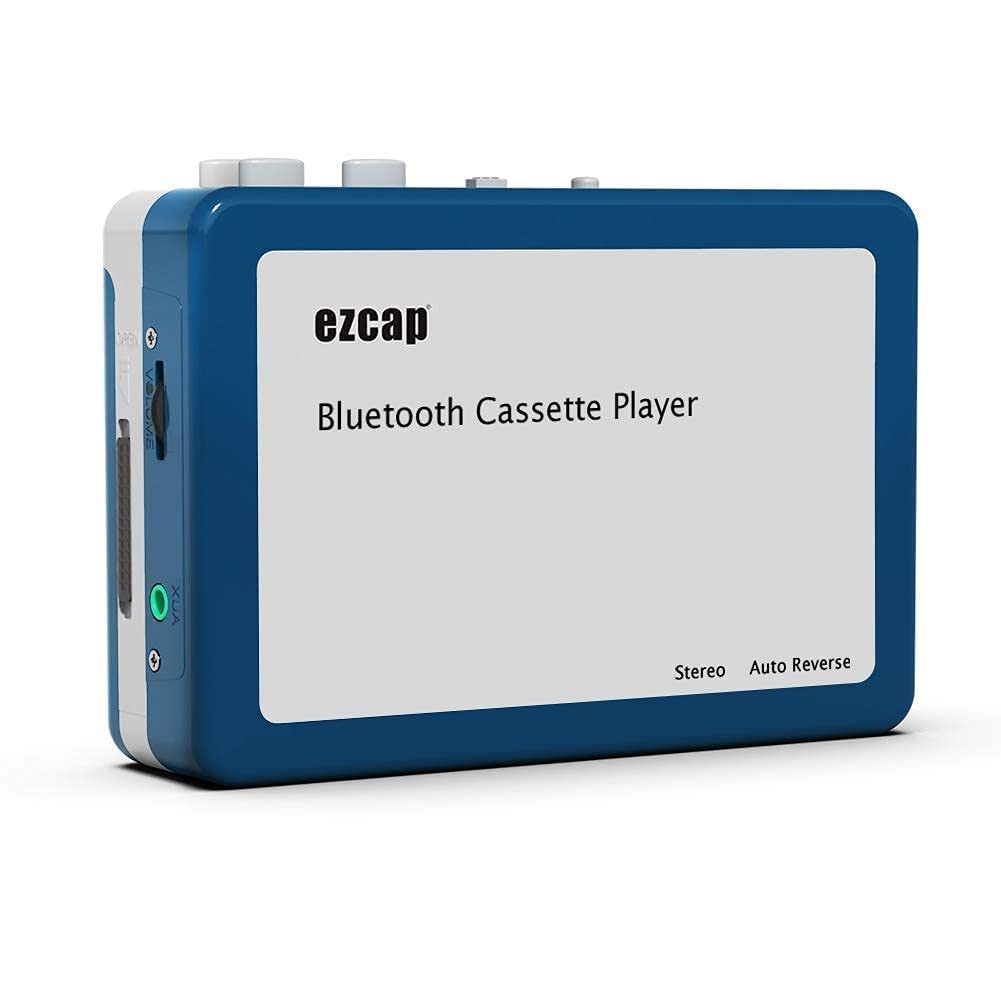
Image 1.1: The Microware EZCAP230 Cassette to MP3 Converter.
2. Hilbera Serîview
2.1 Taybetmendiyên sereke
- Converts cassette tapes to MP3 format.
- Standalone operation: No computer required for conversion.
- USB connectivity for power and data transfer.
- Playback function to check recorded music.
- Sêwirana kompakt û portable.
- Supports FAT, FAT32, exFAT USB formats up to 64GB. NTFS format is not supported.
2.2 Naveroka pakêtê
- Microware EZCAP230 Cassette to MP3 Converter
- Cable USB
- Earphones
- Manual Bikarhêner (ev belge)

Image 2.1: The converter unit, USB cable, and earphones.
3. Sazkirin
3.1 Dabînkirina hêzê
The device can be powered in two ways:
- USB Power: Connect the provided USB cable to the device and a computer USB port or a 5V DC power adapter (not included).
- Hêza Pîlê: Insert 2 x AA batteries (not included) into the battery compartment.
3.2 Danîna Kaseta Teypê
- Qapaxa beşa kasetan vekin.
- Insert your cassette tape with the open side facing up.
- Close the cassette compartment cover securely.

Image 3.1: Proper insertion of a cassette tape.
3.3 Connecting Earphones/Speakers and USB Flash Drive
- Connect the earphones to the 3.5mm audio output jack for private listening.
- To save converted MP3 files, insert a USB flash drive into the USB port. The device supports FAT, FAT32, and exFAT formats up to 64GB.

Image 3.2: Connecting earphones and a USB flash drive to the converter.
4. Telîmatên Operating
4.1 Standalone Cassette to MP3 Conversion
Follow these steps to convert your cassette tapes directly to MP3 format without a computer:
- Hêzdarkirin: Ensure the device is powered via USB or batteries.
- Kaset têxe: Place a cassette tape into the compartment.
- Ajokera USB-ê girêbide: Insert a USB flash drive into the USB port. A green light will flash, indicating it's ready.
- Dest bi Lêdanê Bike: Press the "Play" button on top of the device to begin playing the tape.
- Destpêkirina Tomarkirinê: Press the "Record" button to start recording. The default mode is manual division. To divide tracks, press the "Record/Stop" button each time you want a new MP3 file.
- Rawestandina Tomarê: Press the "Record" button again to stop recording. The MP3 files will be saved to your USB flash drive.

Image 4.1: Step-by-step guide for independent cassette to MP3 conversion.
4.2 Playing Cassette Tapes
To use the device as a cassette player:
- Kasetek têxinê.
- Connect earphones or external speakers to the 3.5mm audio output jack.
- Press the "Play" button.
- Bi karanîna kontrolkirina volumê dengdanê eyar bikin.
4.3 Girêdana bi Komputerê
The device can be connected to a computer via USB for power and to transfer recorded MP3 files. While the device primarily functions for standalone conversion, you can manage the converted files li ser komputera te.
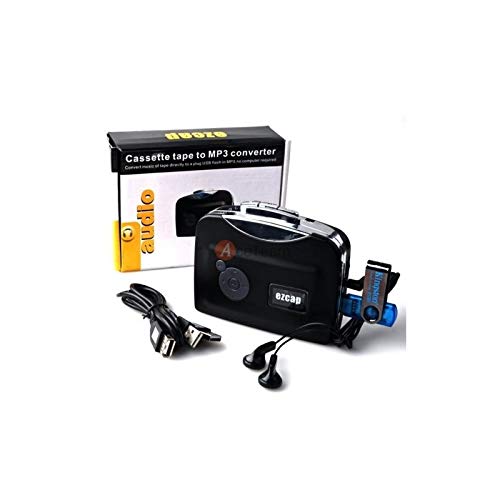
Image 4.2: The converter connected to a laptop, illustrating the digital conversion process.
4.4 Playback Function
The device includes a playback function to review the recorded MP3 files directly on the device. This allows you to verify the quality of your conversions.
Vîdyoya 4.1: Serkeftinekview of the Microware Cassette to MP3 Converter's features and operation, demonstrating its ease of use for digitizing old tapes.
5. Maintenance
- Amûrê paqij û bê toz bihêle. Ji bo paqijkirinê qumaşek nerm û hişk bikar bîne.
- Dûr nehêlin amûrê ji germahiyên pir zêde, nembûn, an tîrêja tavê ya rasterast.
- Paqijkerên abrasive an solvanan bikar neynin.
- Dema ku hûn ji bo demek dirêj bikar neynin, ji bo rêgirtina li rijandinê pîlan derxînin.
6. Destpêkirin
6.1 Hêz tune
- Check if the USB cable is securely connected to a power source.
- Ger bataryayên bikar bînin, pê ewle bibin ku ew bi rêkûpêk hatine danîn û ne qelandî ne.
6.2 Poor Audio Quality During Playback/Recording
- Ensure the cassette tape is clean and in good condition.
- Check earphone connections.
- Clean the tape head and pinch rollers with a cotton swab lightly dampbi alkolê îsopropîl tê xwarin.
6.3 MP3 Files Not Saving to USB Drive
- Ensure the USB flash drive is properly inserted.
- Verify that the USB drive is formatted to FAT, FAT32, or exFAT. NTFS is not supported.
- Check if the USB drive has sufficient free space.
7. Specifications
| Taybetî | Specification |
|---|---|
| Nîşan | MICROWARE |
| Cins | EZCAP230 |
| Babetê Weight | 150 g |
| Mezinahiyên pakêtê | 14 x 10.01 x 5.99 cm |
| Çavkaniya Hêzê | USB Power (5V DC) or 2 x AA Batteries |
| USB Format Support | FAT, FAT32, exFAT (up to 64GB). NTFS not supported. |
8. Garantî û Piştgirî
For warranty information and technical support, please refer to the official MICROWARE webmalperê an jî bi firoşkarê xwe re têkilî daynin. Fatûra kirînê wekî delîla kirînê biparêzin.
Çêker: MICROWARE
Dîroka Yekem Berdest: 24 Îlon 2019
Ji bo alîkariya bêtir, ji kerema xwe serdana MICROWARE Store on Amazon.