
1. Destpêk
This manual provides detailed instructions for the installation, operation, and maintenance of your Time2 Oscar 2 Twin Pack Outdoor Security Cameras. The Oscar 2 cameras are designed for outdoor surveillance, offering 1080p Full HD video, night vision, motion and sound detection, and two-way audio communication. Please read this manual thoroughly before using the product to ensure proper setup and functionality.
2. Çi di Qutîkê de ye
Dema vekirina pakêtê, ji kerema xwe piştrast bikin ku hemî tiştên jêrîn di nav de ne:
- 2 x Time2 Oscar WiFi Camera
- 2 x Power Adapter
- 2 x Wall Mounting Kit (screws and wall plugs)
- 1 x Rêbernameya Destpêka Zû

Image: The Time2 Oscar 2 camera shown with its retail packaging, indicating the contents of the box.
3. Taybetmendiyên Hilberê
The Time2 Oscar 2 cameras are equipped with advanced features for comprehensive outdoor security:
- Vîdyoya Full HD 1080p: Xwarinên zelal û bi hûrgilî tomar diketage day and night.
- Dîtina Şevê ya Bilindtir: Automatic infrared night vision with IR cut for clear images in low light or darkness.
- 100° Qada ji View: Provides a wide coverage area for monitoring your property.
- Motion and Audio Detection: Advanced sensors detect unusual movement or sounds, sending instant alerts.
- Dengê Du Rê: Mîkrofon û axaftvanê çêkirî danûstandina rast-demî dide.
- Depoya Herêmî û Ewr: Supports local storage via MicroSD card (up to 128GB, not included) and optional cloud storage via CLAN CLOUD subscription.
- Sêwirana li dijî hewayê: IP65 rated for outdoor use, resistant to rain and dust.
- Mains Powered: Ensures continuous operation without battery recharging.
- Herêmên Çalakiyê: Customize detection areas to reduce false alerts.
- Yekbûna Alexa: Ji bo kontrola deng bi Amazon Alexa re hevaheng e.
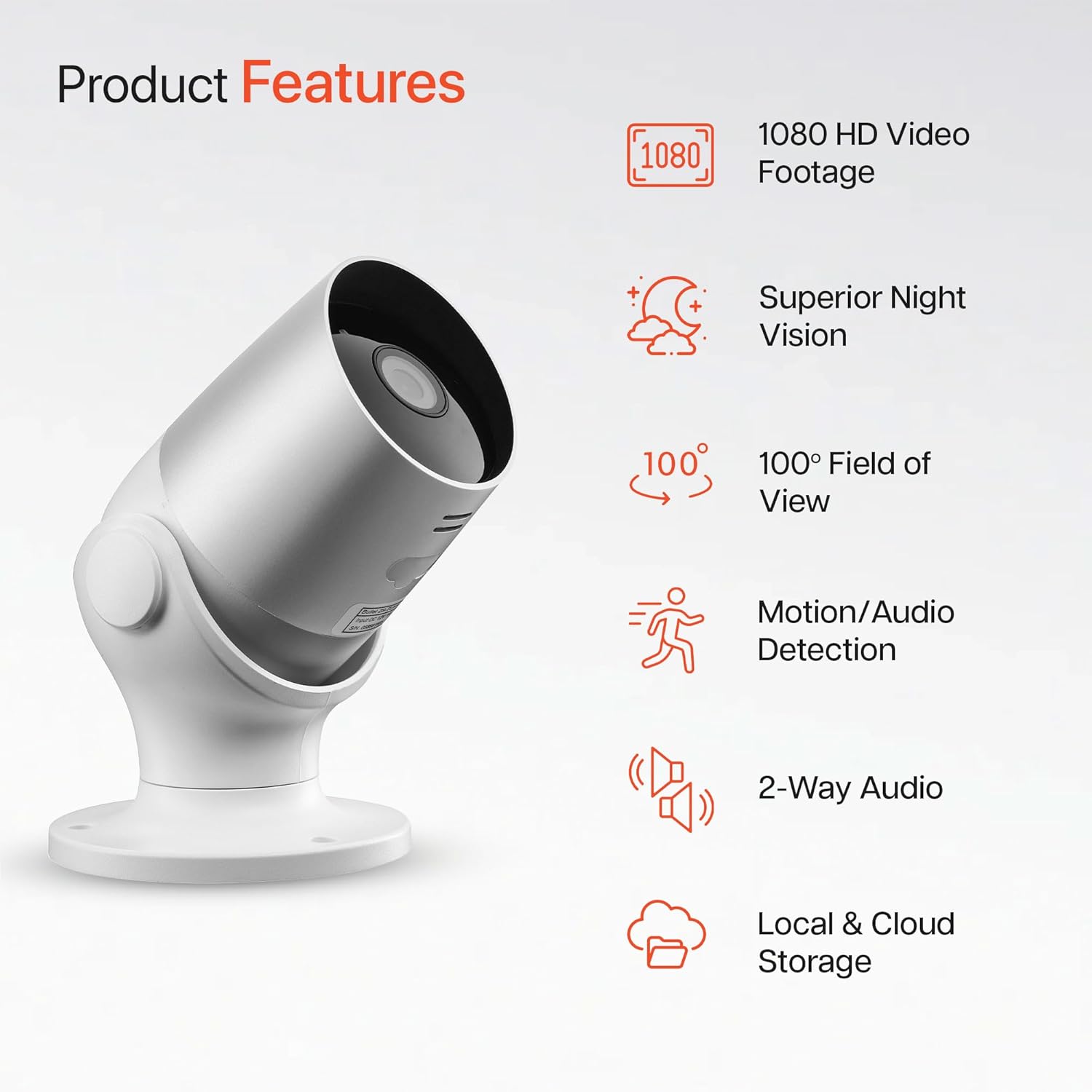
Image: An illustration highlighting the main features of the Oscar 2 camera, including 1080p HD video, night vision, 100° field of view, motion/audio detection, two-way audio, and storage options.
4. Sazkirin
4.1 Daxistina Serlêdanê û Çêkirina Hesabê
- Download the "CLAN" app from your smartphone's app store (iOS or Android).
- Serlêdanê veke û rêwerzên li ser ekranê bişopîne da ku hesabê nû çêke an jî têkevî ger hesabê te hebe.
4.2 Sazkirina Karta MicroSD (Vebijarkî)
For local video storage, you can install a MicroSD card (up to 128GB, not included) into the camera.
- Locate the MicroSD card slot on the camera (refer to the Quick Start Guide for exact location).
- Carefully insert the MicroSD card into the slot until it clicks into place.
- Ensure the camera is powered off before inserting or removing the MicroSD card.
4.3 Camera Installation and Power Connection
The Oscar 2 cameras are designed for wall mounting and require a mains power connection.
- Cihek hilbijêrin: Cihê li derve hilbijêrin ku rewşa xwestî peyda bike viewing angle and is within reach of a power outlet. Consider the 100° field of view.
- Kamerayê bixin: Use the provided wall mounting kit (screws and wall plugs) to securely attach the camera to a wall or suitable surface. The camera housing allows for rotation to adjust the lens angle.
- Hêza girêdanê: Plug the power adapter into the camera and then into a mains power outlet. The camera will power on automatically.
4.4 Pairing with the CLAN App
- Piştrast bike ku têlefona te bi toreke Wi-Fi ya 2.4 GHz ve girêdayî ye (torên 5 GHz nayên piştgirîkirin).
- Open the CLAN app and tap the "+" icon to add a new device.
- Select "Oscar 2" from the list of devices.
- Follow the in-app instructions, which typically involve scanning a QR code displayed on your phone with the camera lens or listening for a sound prompt.
- Once paired, you can name your camera and begin configuring settings.
5. Operating Your Oscar 2 Camera
5.1 Zindî View û Şopandinê
From the CLAN app home screen, tap on your camera's name to access the live video feed. You can view multiple cameras simultaneously if you have more than one Oscar 2 device.

Image: A smartphone displaying the CLAN app interface, showing a live view from the Oscar 2 camera and various control options.
5.2 Tesbîtkirina Tevger û Deng
The Oscar 2 camera can detect movement and sound, sending instant alerts to your smartphone or tablet.
- Alerts çalak bike: Navigate to the camera settings in the CLAN app and enable motion and sound detection alerts.
- Hesasiyetê eyar bikin: You can adjust the sensitivity level of both motion and sound detection to minimize false alarms.
- Set Activity Zones: Define specific areas within the camera's field of view where you want motion detection to be active. This helps focus on critical areas and ignore irrelevant movements.
5.3 Dengê Du-Alî
Utilize the built-in microphone and speaker for two-way communication.
- Dema ku dijîn view, tap the microphone icon in the app to speak through the camera's speaker.
- Ji bo guhdarîkirina dengê ji mîkrofona kamerayê, li ser îkona axaftvan bikirtînin.
- This feature is useful for interacting with visitors or deterring intruders.
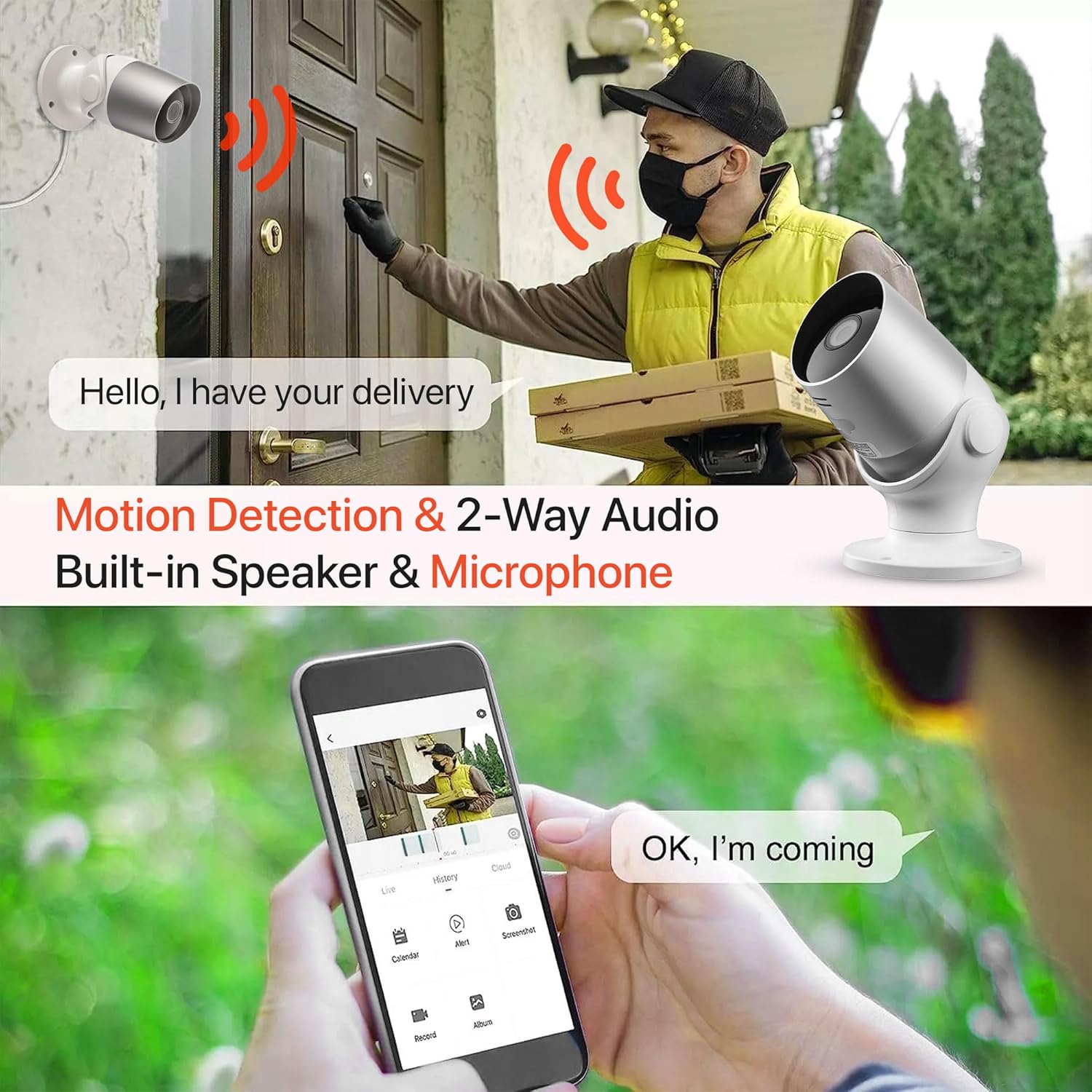
Image: An illustration demonstrating the two-way audio feature, showing a user communicating with a delivery person via the Oscar 2 camera and smartphone app.
5.4 Tomarkirin û Lêxistin
The Oscar 2 cameras offer flexible recording options:
- Tomarkirina domdar: If a MicroSD card is installed, the camera can record continuously for up to 21 days (with a 128GB card).
- Tomarkirina bi Tevgerê Çalakkirî: The camera can be set to record only when motion or sound is detected. Recordings include 5 seconds of pre-event footage.
- Local Storage (MicroSD): Gihîştina foo tomarkirîtage directly from the MicroSD card via the CLAN app.
- Cloud Storage (CLAN CLOUD): Subscribe to CLAN CLOUD for secure off-site storage of your recordings, accessible from anywhere.
- Playback: Use the playback feature in the CLAN app to review bûyerên tomarkirî.
5.5 Dîtina Şevê
The camera automatically switches to infrared night vision in low-light conditions, providing clear black and white images. The integrated IR cut filter ensures accurate color representation during the day.

Image: A visual representation of the camera's 24/7 monitoring capability, showing how the view changes from morning (color) to afternoon (color) to night (infrared night vision).
5.6 Entegrasyona Alexa
The Oscar 2 cameras are compatible with Amazon Alexa. To enable this feature, link your CLAN account within the Alexa app. You can then use voice commands to view xwarina kameraya xwe li ser cîhazên lihevhatî yên bi Alexa-yê ve girêdayî bişopîne.
6. Maintenance
- Paqijî: Lensa kamerayê bi nermî car bi car paqij bikinamp cloth to ensure optimal image clarity. Do not use harsh chemicals or abrasive materials.
- Nûvekirinên Firmware: Ensure your camera's firmware is up to date. The CLAN app will typically notify you of available updates. Follow the in-app instructions to perform updates, which can improve performance and add new features.
- Çîroka Hêzê: If the camera experiences issues, try power cycling it by unplugging it from the power source for a few seconds and then plugging it back in.
7. Destpêkirin
- Kamera bi Wi-Fi ve nayê girêdan:
- Piştrast bike ku tora Wi-Fi ya te 2.4 GHz e. Kamera torên 5 GHz piştgirî nake.
- Kontrol bike ka kamera di nav menzîla routera Wi-Fi ya te de ye.
- Piştrast bike ku şîfreya Wi-Fi-ya te di sepanê de rast hatiye nivîsandin.
- Router û kameraya xwe ji nû ve bidin destpêkirin.
- Frequent Motion Detection Alerts:
- Adjust the motion detection sensitivity settings in the CLAN app to a lower level.
- Define specific activity zones to exclude areas with frequent irrelevant movement (e.g., trees swaying, busy roads).
- Environmental factors like heavy rain or snow can sometimes trigger alerts; consider adjusting sensitivity during adverse weather.
- Qalîteya wêneyê nebaş:
- Ji bo rakirina ax û lekeyên ji ser kamerayê, lensa kamerayê paqij bike.
- Piştrast bike ku di qada kamerayê de ti astengî tune ye. view.
- Check your internet connection speed; a slow connection can affect live stream quality.
- Pirsgirêkên Dengê Du-Alî:
- Piştrast bike ku dengê telefona te bilind e û sepanê destûrên mîkrofonê hene.
- Check the camera's speaker and microphone settings in the app.
- Ji bo danûstendineke zelaltir dengê paşxaneyê kêm bikin.
- Recordings Not Saving:
- If using a MicroSD card, ensure it is correctly inserted and formatted within the app. Check if the card is full.
- If using cloud storage, verify your CLAN CLOUD subscription is active.
8. Specifications
| Taybetî | Hûrî |
|---|---|
| Navê Model | Oscar 2 |
| Mezinahiya Hilberê | 8.9 x 17.8 x 19.1 cm |
| Pîvan | 720 gram |
| Çêker | Dem 2 |
| Teknolojiya Girêdanê | Wireless (Wi-Fi) |
| Taybetmendiya Taybet | Motion and Sound Alerts |
| Bikaranîna hundur / Derveyî | Outdoor |
| Amûrên Lihevhatî | Computer, Smartphone, Tablet |
| Çavkaniya Hêzê | Electric Cable (Mains Powered) |
| Type Controller | Amazon Alexa |
| Mounting Type | Çiyayê dîwar |
| Reng | Spî |
| Faktora Form | Gûlle |
| Asta Berxwedana Avê | Avgirtî (IP65) |
| Voltage | 12 Volt |
| Wattage | 5 Watt |
| Forma Girtina Vîdyoyê | MP4 |
| Çareserkirina Vîdyoyê ya Bibandor | 1080 Pixels (1080p) |
| Viewing Angle | 100 Dereceyan |
| Hejmara Tiştên | 2 (Pakêta Duqat) |
| UPC | 045912296356 |
9. Garantî û Piştgirî
9.1 Agahî Garantî
Your Time2 Oscar 2 cameras come with a manufacturer's warranty. Please refer to the warranty card included in your product packaging or visit the official Time2 webmalper ji bo merc û şertên garantiyê yên berfireh.
9.2 Piştgiriya Mişterî
If you encounter any issues or have questions not covered in this manual, please contact Time2 customer support. Contact details can typically be found on the Time2 webmalper an di Rêbernameya Destpêkirina Bilez de ku bi hilbera we re tê peyda kirin.
For the latest information, FAQs, and support resources, please visit the official Time2 website.