
Pêşkêş
The Forge Doosl DSER102 is a versatile device designed to enhance your audio experience. It functions as both a Bluetooth receiver, allowing you to stream audio wirelessly to non-Bluetooth devices, and an FM transmitter, enabling you to broadcast audio to your car radio. This manual provides detailed instructions for setup, operation, and maintenance to ensure optimal performance.
Agahiyên Ewlekariyê
- Amûrê ji av, şil û germahiya zêde dûr bigirin.
- Hewl nedin ku cîhazê bi xwe ji hev veqetînin an jî tamîr bikin. Bi karmendên xizmetê yên pispor re têkilî daynin.
- Tenê kabloya şarjê ya ku hatiye dayîn an jî hevwateya wê ya pejirandî bikar bînin.
- Ji ronahiya rasterast a tavê ya demdirêj dûr bisekinin.
- Amûr û pîlê wê li gorî rêziknameyên herêmî bi awayekî berpirsiyarane bavêjin.
Naveroka pakêtê
Ji kerema xwe pakêtê ji bo tiştên jêrîn kontrol bikin:
- Forge Doosl DSER102 Bluetooth Receiver & FM Transmitter
- Cable Charging Micro USB
- Cable Audio 3.5mm
- Manual Bikarhêner (ev belge)
Product Overview
Familiarize yourself with the device's components:
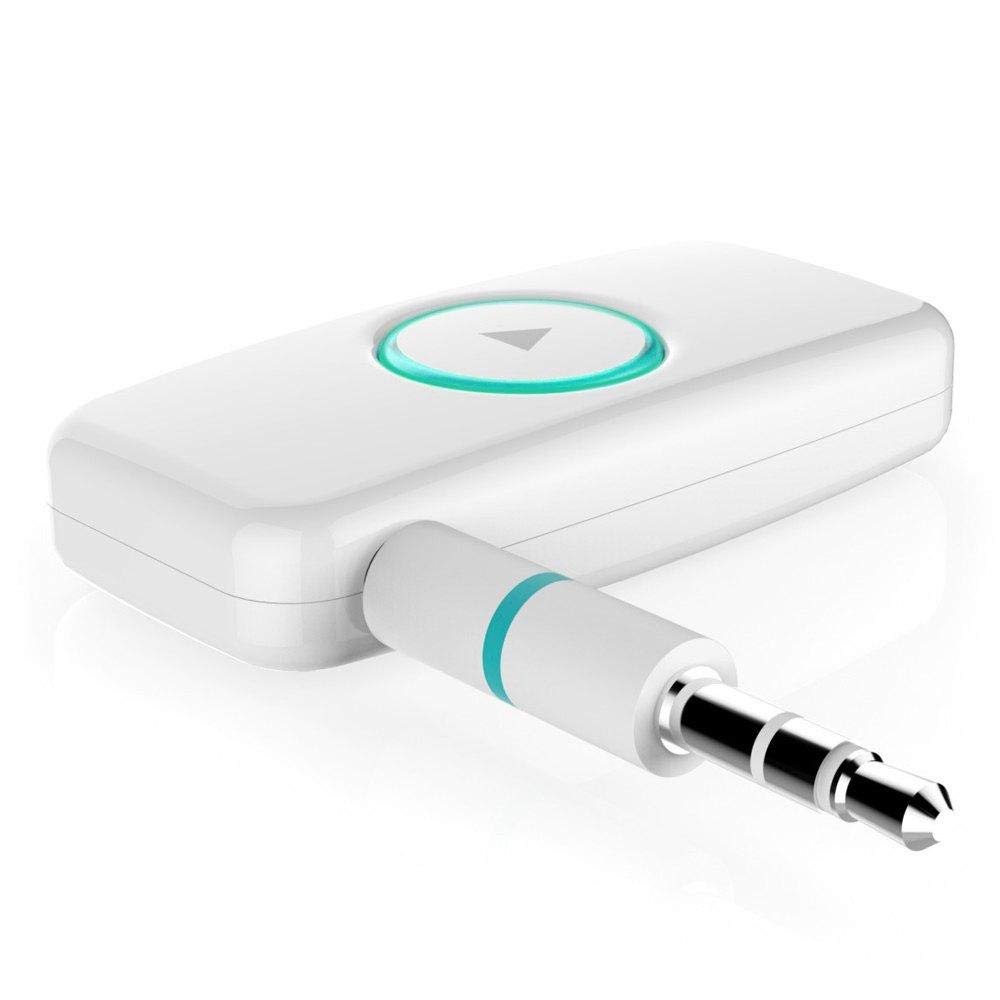
Wêne 1: Pêşî view of the DSER102 device.
- Bişkojka pir-fonksî: Power on/off, Play/Pause, Answer/End Call, Mode Switch.
- Nîşana LED: Rewşa hêz, şarjkirin û pêwendiyê nîşan dide.
- 3.5mm Audio Output/Input Port: Connects to audio devices.
- Porta Barkirina Micro USB: Ji bo şarjkirina bataryaya navxweyî.
Damezirandin
1. Barkirina Amûrê
Before first use, fully charge the DSER102.
- Connect the Micro USB charging cable to the device's charging port.
- Serê din ê kabloyê bi adaptora hêzê ya USB (ne di nav de ye) an jî bi porta USB ya komputerê ve girêdin.
- The LED indicator will show red during charging and turn off when fully charged. A full charge takes approximately 2 hours and provides up to 16 hours of music playback.
2. Bluetooth Receiver Mode Setup
Use this mode to stream audio from your Bluetooth-enabled phone to a non-Bluetooth speaker or car stereo.
- Hêzdarkirin: Press and hold the Multi-function Button for 3 seconds until the LED indicator flashes blue rapidly, indicating pairing mode.
- Girêdana bi Amûrê Dengî re: Plug the DSER102 into the 3.5mm AUX input of your car stereo, home stereo, or speaker using the 3.5mm audio cable.
- Bi telefonê re hevber bike: On your mobile phone, enable Bluetooth and search for "DSER102" in the list of available devices. Select it to pair.
- Connection Confirmed: Once paired, the LED indicator will flash blue slowly. You can now play music from your phone through the connected audio device.
3. FM Transmitter Mode Setup
Use this mode to broadcast audio from the DSER102 to your car's FM radio.
- Hêzdarkirin: Bişkojka Pir-fonksîyonê 3 çirkeyan pêl bike û bigire.
- Switch to FM Transmitter Mode: Double-press the Multi-function Button to switch modes. The LED indicator will change color or pattern (refer to device for specific indication).
- Tune FM Radio: On your car's FM radio, tune to an unused FM frequency (e.g., 87.5 MHz or 108.0 MHz).
- Set DSER102 Frequency: The DSER102 will transmit on a specific FM frequency. If adjustable, match the DSER102's frequency to your car radio's frequency. If not adjustable, find the frequency the DSER102 is broadcasting on and tune your car radio to it.
- Çavkaniya Dengê Girêdanê: Connect your audio source (e.g., phone via Bluetooth) to the DSER102. The audio will now be transmitted to your car's FM radio.
Telîmatên Operating
Power On / Off
- Hêzdarkirin: Press and hold the Multi-function Button for approximately 3 seconds until the LED indicator lights up.
- Hêzdarkirin: Press and hold the Multi-function Button for approximately 3 seconds until the LED indicator turns off.
Music Playback (Bluetooth Receiver Mode)
- Lîstik / Rawestandin: Bişkojka Pir-fonksiyonê bi kurtî pêl bikin.
Call Management (Bluetooth Receiver Mode)
- Bersiv/Dawiya Bangê: Bişkojka Pir-fonksiyonê bi kurtî pêl bikin.
- Bang red kirin: Bişkojka Pir-fonksîyonê 2 çirkeyan pêl bike û bigire.
- Jimara dawîn ji nû ve bihejîne: Du caran li ser Bişkojka Pir-fonksiyonê bikirtînin.
Lênerrînî
- Amûrê bi qumaşek nerm û hişk paqij bikin. Paqijkerên şilemenî an aerosolan bikar neynin.
- Dema ku nayê bikar anîn amûrê li cîhek sar û hişk hilînin.
- Dûr nexin an jî amûrê ji bandorên xurt re nehêlin.
Çareserkirina pirsgirêkan
| Pirsegirêk | Çare |
|---|---|
| Cîhaz pê naçe. | Ensure the device is fully charged. Connect it to a power source using the Micro USB cable. |
| Nikare bi cîhaza Bluetooth-ê re were hev kirin. | Make sure the DSER102 is in pairing mode (rapidly flashing blue LED). Ensure your phone's Bluetooth is enabled and within range. Try restarting both devices. |
| No audio in Bluetooth Receiver mode. | Check if the 3.5mm audio cable is securely connected to both the DSER102 and your audio system's AUX input. Ensure your audio system is set to the correct AUX input. Adjust volume on both devices. |
| Poor audio quality in FM Transmitter mode. | Find a clear, unused FM frequency on your car radio and match the DSER102's frequency to it. Avoid frequencies used by local radio stations. Reduce interference by moving the device away from other electronics. |
Specifications
- Cins: DSER102
- Guhertoya Bluetooth: V4.0
- Kapasîteya Pîl: 250mAh Li-batterya
- Dema lêxistina muzîkê: Heta 16 saetan
- Porta barkirinê: Micro USB
- Derketina Deng: 3.5mm AUX
- Pîvan: 1.4 x 4.6 x 3.7 cm
- Pîvan: 200 g
- Amûrên Lihevhatî: Headphone, Smartphone, Speaker
Garantî û Piştgirî
For warranty information or technical support, please refer to the retailer where the product was purchased or visit the official Forge webmalper. Fatûra kirîna xwe wekî delîlê kirînê biparêzin.