
Pêşkêş
Thank you for choosing the MARVO KG925G Mechanical Gaming Keyboard. This manual provides essential information for setting up, operating, maintaining, and troubleshooting your new keyboard. Please read this manual carefully before use to ensure optimal performance and longevity of your device.
Naveroka pakêtê
Piştrast bike ku hemî tişt di pakêtê de hene:
- MARVO KG925G Mechanical Gaming Keyboard
- Manual Bikarhêner (ev belge)
Damezirandin
Pêdiviyên Sîstemê
- Pergala Xebatê: Windows 8 an paşê
- Porta USB 2.0 heye
Girêdana Klavyeyê
- Li ser komputerê portek USB 2.0 ya berdest bibîne.
- Plug the USB connector of the MARVO KG925G keyboard into the USB port.
- Sîstema xebitandinê dê bixweber ajokarên pêwîst tesbît bike û saz bike. Ev pêvajo dibe ku çend kêliyan bidome.
- Once the drivers are installed, the keyboard's backlighting will illuminate, indicating it is ready for use.
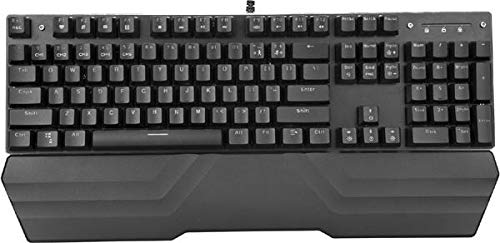
Image: The MARVO KG925G Mechanical Gaming Keyboard with its USB cable connected, ready for use. The keyboard features a wrist rest and illuminated keys.
Telîmatên Operating
Fonksiyonên Klavyeyê yên Bingehîn
The MARVO KG925G functions as a standard QWERTY keyboard for typing and general computer use.
Bişkokên Multimedia
The keyboard includes dedicated multimedia functions, typically accessed via the Fn key combined with the F-keys (F1-F12). Refer to the keycap legends for specific functions such as volume control, media playback, and launching applications.
- Fn + F1-F12: Access various multimedia and system functions.
Kontrola Ronahîkirina Paşîn
The MARVO KG925G features customizable backlighting. Specific key combinations are used to change lighting modes, brightness, and speed. Consult the keyboard's keycap legends or the manufacturer's website for detailed instructions on advanced lighting customization.
- Modên Ronahî: Typically cycled using a dedicated key or Fn + a specific key (e.g., Scroll Lock, Pause Break, or a dedicated lighting key).
- Rêzkirina Ronahî: Often controlled by Fn + Up/Down arrow keys.
Maintenance û Lênêrînê
Parastina rast temenê dirêj û performansa klavyeya we misoger dike.
- Paqijî: Ji bo paqijkirina rûyê klavyeyê qumaşek nerm û hişk bikar bînin. Ji bo paqijkirinek kûrtir, qutiyek hewaya pêçayî bikar bînin da ku toz û bermahiyên di navbera bişkokan de derxînin. Ji karanîna kîmyewiyên dijwar an materyalên aşındêr dûr bisekinin.
- Spî: In case of liquid spills, immediately unplug the keyboard from your computer. Turn it upside down to drain any liquid and allow it to dry completely for at least 24-48 hours before reconnecting. Do not attempt to use the keyboard while it is wet.
- Embarkirinî: Klavyeyê li cîhekî sar û hişk, dûr ji tîrêjên rojê yên rasterast û germahiyên zêde hilînin.
Çareserkirina pirsgirêkan
If you encounter issues with your MARVO KG925G keyboard, refer to the following common solutions:
| Pirsegirêk | Çareseriya gengaz |
|---|---|
| Klavyeyê bersivê nade. |
|
| Backlighting is not working. |
|
| Keys are not registering correctly. |
|
Specifications
- Cins: KG925G
- Nîşan: MARVO
- Têkilî: USB 2.0
- Tîpa Klavyeyê: Keyboard Gaming mekanîkî
- Taybetmendî: Illumination, Wrist Rest, Multimedia Keys
- OS-ya hevgirtî: Windows 8 û jor
- Pîvan: Nêzîkî 47.5 x 18.7 x 8.4 cm (18.7 x 7.4 x 3.3 înç)
Garantî û Piştgirî
For warranty information and technical support, please refer to the warranty card included with your product or visit the official MARVO webmalper. Delîla kirîna xwe ji bo îdiayên garantiyê biparêzin.