
1. Destpêk
The Aligator T100 is a GSM mobile phone designed in a classic desk phone style, offering convenient operation with large buttons and essential mobile phone functions. It serves as an excellent replacement for a fixed-line phone, providing the independence and flexibility of a mobile device. Its high-performance antenna ensures reliable reception even in areas with weak GSM signals.
2. Agahiyên Ewlekariyê
- Hişyariya Pîlê: Use only the original battery provided with the device. Using non-original batteries may cause damage to the phone or lead to battery explosion.
- Amûrê ji av û nemê dûr bixin.
- Do not attempt to disassemble or repair the phone yourself. Refer to qualified service personnel for any repairs.
- Ji germahiyên zêde dûr bisekinin ku telefonê li ber xwe bidin.
3. Naveroka pakêtê
Piştrast bike ku hemî tişt di pakêtê de hene:
- Aligator T100 GSM Mobile Phone unit
- Destan bi kabloya pêçayî
- High-performance external antenna
- Chargera sereke
- Li-ion 800 mAh battery
- User manual (English, German, Czech, Slovak)

Figure 3.1: Contents of the Aligator T100 package.
4. Hilbera Serîview
The Aligator T100 features a robust design with a clear monochrome graphic display and a user-friendly keypad. Key components include the main unit, handset, and an external antenna for enhanced signal reception.

Wêne 4.1: Pêşî view of the Aligator T100.
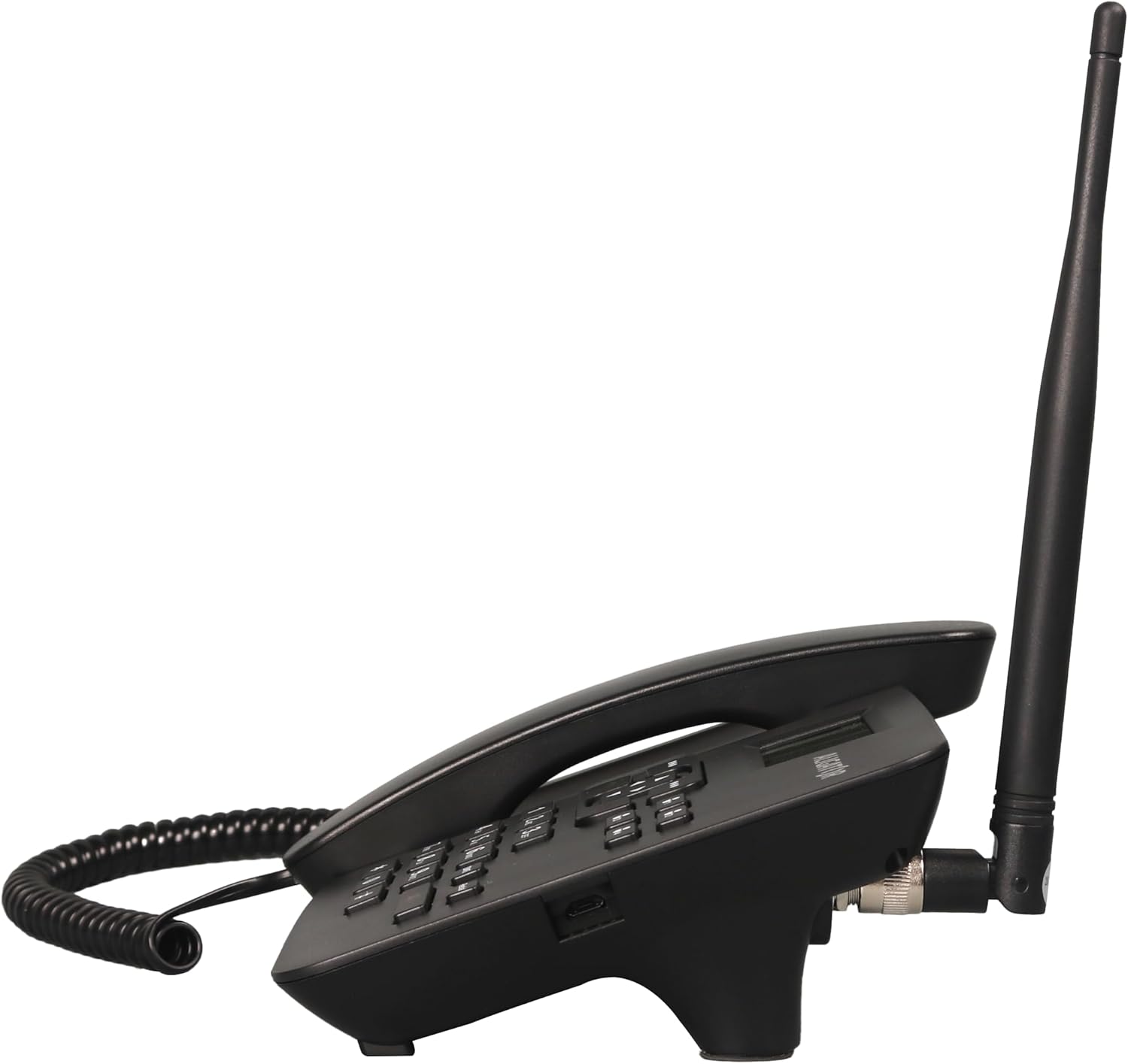
Wêne 4.2: Alî view showing the antenna connection.

Wêne 4.3: Paş view of the Aligator T100.
4.1 Keypad and Display
The keypad features large, easy-to-read buttons. The monochrome graphic display (128 x 64 points, 53 x 25 mm) has a green background illumination for clear visibility.

Figure 4.4: Close-up of the display and keypad.
5. Sazkirin
5.1 Sazkirina Pîl
- Remove the battery compartment cover on the back of the phone.
- Insert the provided Li-ion 800 mAh battery, ensuring the contacts align correctly.
- Berga beşa pîlê biguherînin.
5.2 Sazkirina Karta SIM
- Dema ku batarya hatiye rakirin, cihê qerta SIM-ê bibînin.
- Insert your GSM SIM card into the designated slot, ensuring proper orientation as indicated by the diagram near the slot.
- Pîl û qapaxa pîlê ji nû ve saz bikin.
5.3 Girêdana Antenê
- Locate the TNC-Female connector on the side/back of the phone unit.
- Screw the high-performance external antenna onto this connector until it is securely fastened.
5.4 Barkirina Destpêkê û Vekirina Hêzê
- Connect the mains charger to the phone's charging port and plug it into a power outlet.
- Allow the phone to charge fully before first use. The display will indicate charging status.
- To power on, press and hold the power button (if available) or simply ensure the battery is inserted and the phone is connected to power.
6. Telîmatên Operating
6.1 Çêkirin û wergirtina bangan
- Bangek kirin: Lift the handset. You will hear a classic dial tone. Dial the phone number using the keypad. The call will be initiated automatically after a short delay or upon pressing the call button.
- Wergirtina Bangek: When the phone rings, simply lift the handset to answer the call.
- Dawîkirina Bangê: Place the handset back onto the cradle to end the call.
6.2 Using the Keypad and Navigation
The keypad includes standard numeric keys (0-9, *, #) and dedicated function buttons. Use the navigation buttons (up, down, left, right) to navigate through menus on the display.

Figure 6.1: Display and navigation controls.
6.3 Speed Dial / Quick Dial
The Aligator T100 features four quick dial buttons (labeled 1-4) for frequently called numbers. You can program these buttons to dial a contact directly.
- Programming Quick Dial: Refer to the phone's menu for
Ask a question about this manual
Ask about setup, troubleshooting, compatibility, parts, safety, or missing instructions. Manuals+ will review the question and use this page’s manual context to help answer it.