
Pêşkêş
The Schlage Connect Camelot Touchscreen Deadbolt (Model BE468CAM605) is a smart deadbolt designed for keyless entry and integration with Z-Wave enabled smart home systems. This manual provides detailed instructions for its installation, operation, and maintenance, ensuring optimal performance and security.

This image displays the Schlage Connect Camelot Touchscreen Deadbolt, highlighting its keypad and key features like Z-Wave compatibility, access codes, remote access, app control, voice control, and battery operation.
Sazkirin û Sazkirin
Installation of the Schlage Connect deadbolt is designed to be straightforward, typically requiring only a screwdriver. For optimal functionality with a smart home system, it is recommended to pair the lock with your Z-Wave hub berî full installation on the door.
Nîşanên Pêş-Sazkirinê:
- Ensure your door is properly prepared for a deadbolt installation.
- A Z-Wave controller/hub is required for smart home integration and remote functionalities. This is sold separately.
- The lock operates within specific temperature ranges: Outside escutcheon: 35°C to 66°C (95°F to 150°F), Inside escutcheon: 10°C to 49°C (50°F to 120°F).
Gavên Sazkirinê yên Giştî:
- Remove any existing deadbolt hardware from your door.
- Install the deadbolt latch into the door edge.
- Install the exterior keypad assembly. Ensure the cable is routed correctly.
- Plaqeya montajê ya hundurîn saz bikin.
- Connect the cable from the exterior assembly to the interior unit.
- Yekîneya hundirîn bi plakaya montajê ve ewle bikin.
- Insert the batteries and test the lock's operation.

This image illustrates the easy installation process of a Schlage smart deadbolt, showing a person using a screwdriver to secure the lock components to a door.
Z-Wave Pairing (Inclusion):
To integrate your deadbolt with a Z-Wave smart home system, you must perform an inclusion process. It is highly recommended to do this before fully mounting the lock on the door, especially if the hub is not within 10 feet of the installation location.
- Destpêkirin inclusion mode on your Z-Wave controller/hub. Refer to your hub's manual for specific instructions.
- On the deadbolt's keypad, press the Bişkoja Schlage, then enter your 6-digit programming code, û di dawiyê de çap bikin 0.
- A green checkmark on the keypad indicates successful inclusion. If unsuccessful, a red 'X' will appear.
- Giring: If you plan to change the default code length (e.g., from 4 digits to a longer length), you must do so berî pairing the lock with your SmartThings hub or similar controller. This setting is typically read only during the initial pairing.

This image shows the complete Schlage Connect Camelot Touchscreen Deadbolt, featuring the exterior keypad assembly and the interior unit with its thumb turn and battery cover.

This image provides the height, width, and depth measurements for both the exterior keypad and interior unit of the Schlage Connect Camelot Touchscreen Deadbolt with Camelot trim.
Telîmatên Operating
The Schlage Connect deadbolt offers multiple ways to lock and unlock your door, providing convenience and security.
Keyless Entry via Touchscreen:
- Ber vekirin, enter a valid user code (4-8 digits) on the touchscreen, then press the Bişkoja Schlage.
- Ber qesr, bi tenê pêl pê bikin Bişkoja Schlage li ser klavyeyê.
- The touchscreen features a matte finish to minimize fingerprints and smudges, maintaining clear visibility.
- An LED backlight illuminates the keypad for easy access in low-light conditions.
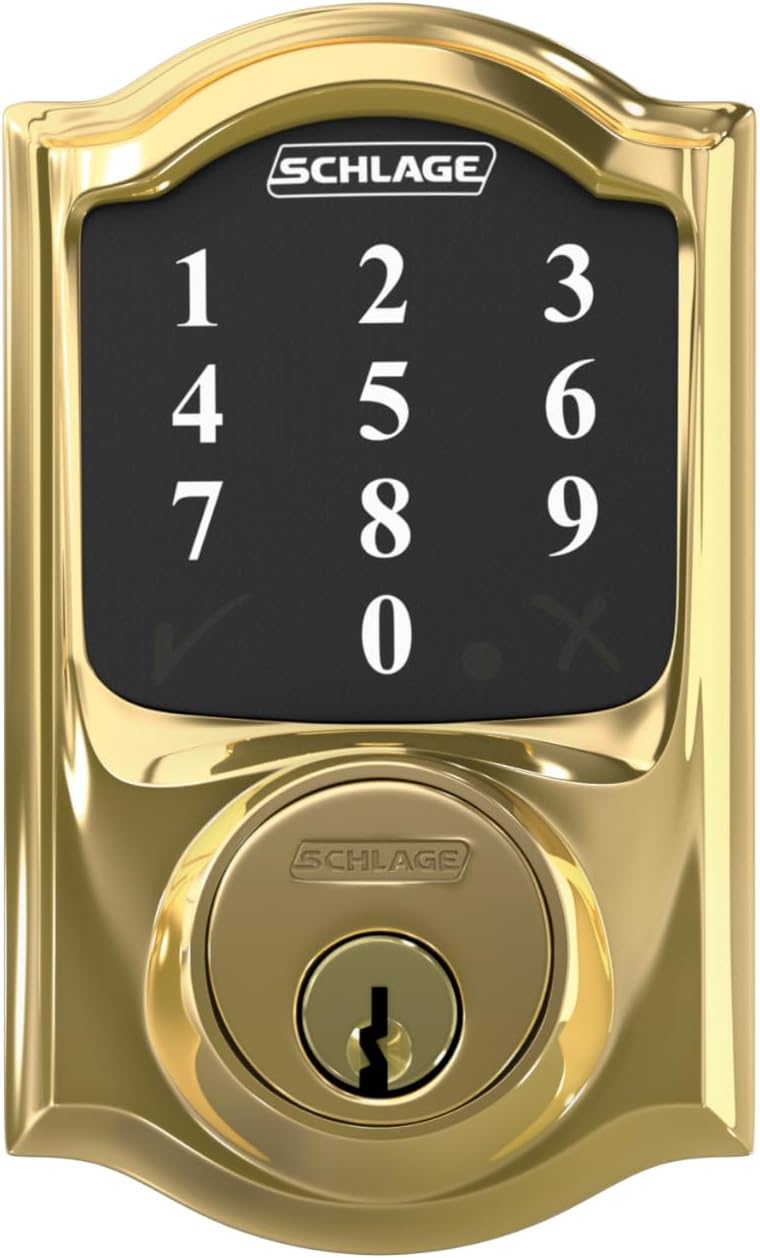
A berfireh view of the Schlage Connect Camelot Touchscreen Deadbolt's keypad, showing the numbered buttons, checkmark, and 'X' symbols for code entry and function selection.
Managing Access Codes:
The deadbolt supports up to 30 unique access codes. Refer to the full programming guide (usually available online or with the product packaging) for detailed instructions on adding, deleting, and modifying user codes.
Entegrasyona Mala Jîr (Z-Wave):
When paired with a Z-Wave compatible smart home hub, the Schlage Connect deadbolt enables advanced functionalities:
- Gihîştina Dûr: Lock or unlock your door from anywhere via your smartphone or web interface (requires compatible smart home hub and app).
- Kontrola App: Manage lock settings, view activity logs, and control the lock directly from your smart home app.
- Kontrola Deng: Integrate with voice assistants like Amazon Alexa or Google Assistant for hands-free control (requires compatible smart home hub and setup).
- Home Automation Scenes: Include your smart lock in automated routines with other smart devices within your Z-Wave system.
Lênerrînî
Guhertina Pîl:
The Schlage Connect deadbolt is battery-operated and does not require hardwiring. A low battery indicator provides several weeks of warning before the batteries are depleted. Always keep a backup key available to prevent lockouts.
- When the low battery indicator activates, replace all four AA alkaline batteries.
- Typical battery life is approximately 18 months with semi-regular usage.
Paqijî:
To clean the exterior and interior components, use a soft, damp qumaş. Ji paqijker an çareserkerên aşındêr dûr bisekinin, ji ber ku ev dikarin zirarê bidin rûpûş û pêkhateyên elektronîkî.
Çareserkirina pirsgirêkan
Pirsgirêkên hevpar û çareseriyê:
- Lock not responding to codes:
Çare: Ensure batteries are fresh and correctly installed. Verify that the user code is correct and active. Try the programming code to confirm basic functionality. - Z-Wave pairing failure:
Çare: Ensure the lock is within range of the Z-Wave hub. Try performing a Z-Wave exclusion first, then re-attempt inclusion. - Difficulty changing code length with SmartThings:
Çare: If you wish to change the code length, it must be done berî pairing with the SmartThings hub. If already paired, you may need to exclude the lock, change the code length setting (if available via the lock's direct programming), and then re-include it. - Lock mechanism is loud:
Not: The internal mechanism for locking and unlocking the deadbolt can produce an audible sound. This is a characteristic of the product and not typically an indication of a malfunction. - Girtî tampering concerns:
Agahî: The deadbolt includes an anti-pick shield designed to enhance security against lock tampering.
Z-Wave Exclusion (Unpairing):
If you need to remove the lock from your Z-Wave network or re-pair it with a new hub, perform an exclusion:
- Destpêkirin moda derxistinê on your Z-Wave controller/hub.
- On the deadbolt's keypad, press the Bişkoja Schlage, then enter your 6-digit programming code, û di dawiyê de çap bikin 0.
- A green checkmark confirms successful exclusion.
Specifications
| Nîşan | BELAV |
| Hejmara Model | BE468CAM605 |
| Type Lock | Keypad |
| Mal | Çingo |
| Reng | Bright Brass |
| Navê Şêweyê | Camelot |
| Mezinahiya Babetê (L x W x H) | 1 x 3 x 5 inches |
| Babetê Weight | 3.5 Pound |
| Protokola Girêdanê | Z-Wave |
| Rêbaza Kontrolê | Voice (via compatible hub), Keypad |
| Controller Type Compatibility | Amazon Alexa, Nexia, SmartThings, Vera, Wink (requires compatible hub) |
| Pêkhateyên Tê de | Amûrên Sazkirinê, Rêwerzên Sazkirinê |
Agahî Garantî
The Schlage BE468CAM605 Connect Camelot Touchscreen Deadbolt is backed by a limited lifetime mechanical and finish warranty, and a limited three-year electronics warranty. For full details regarding warranty coverage and terms, please refer to the official Schlage warranty documentation provided with your product or visit the manufacturer's website.
Alîkarî
For further assistance, technical support, or to obtain a complete programming guide, please contact Schlage customer support. Contact information can typically be found on the Schlage webli ser malperê an jî di nav pakkirina hilberê de.