
Baseus W06
Baseus Encok True Wireless Earbuds W06 User Manual
Model: W06 | Brand: Baseus
Pêşkêş
Thank you for choosing the Baseus Encok True Wireless Earbuds W06. This manual provides detailed instructions on how to set up, operate, and maintain your earbuds to ensure optimal performance and longevity. Please read this manual thoroughly before using the product.
Naveroka pakêtê
Ji kerema xwe dema ku hûn ji qutiyê vedikin naveroka pakêtê kontrol bikin. Ger tiştek wenda be an jî zirar dîtibe, bi firoşkarê xwe re têkilî daynin.
- Baseus Encok True Wireless Earbuds (L/R)
- Doza barkirinê
- Kabloya barkirinê ya USB-C
- Silicone Eartips (various sizes)
- Manual Bikarhêner
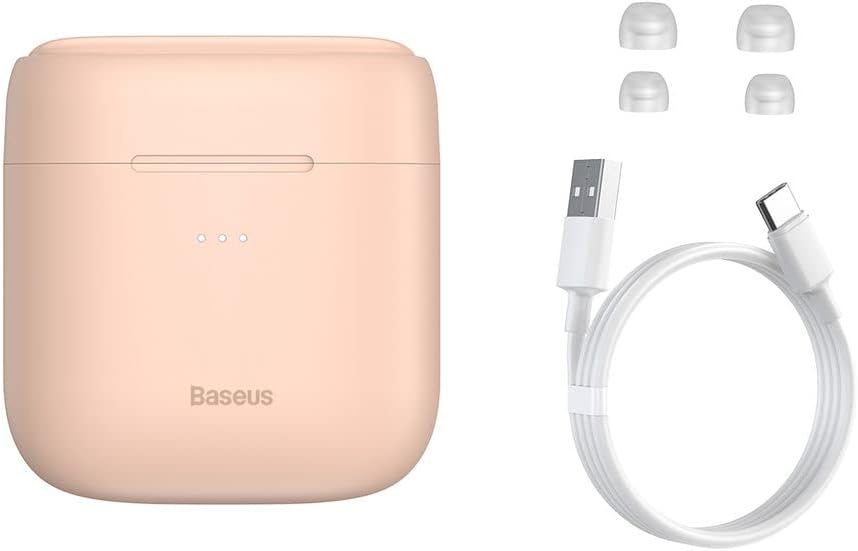
Image: The package contents, showing the charging case, two earbuds, a USB-C charging cable, and several pairs of silicone eartips.
Damezirandin
1. Barkirina Guhguhkan û Qapaxê
Before first use, fully charge the earbuds and the charging case. Place the earbuds into the charging case. Connect the USB-C cable to the charging case and a power source, or place the charging case on a compatible wireless charging pad.
- Ronahîyên nîşander ên li ser qutîyê rewşa şarjkirinê nîşan didin.
- Barkirina tevahî bi gelemperî nêzîkî 1.5 demjimêran digire.
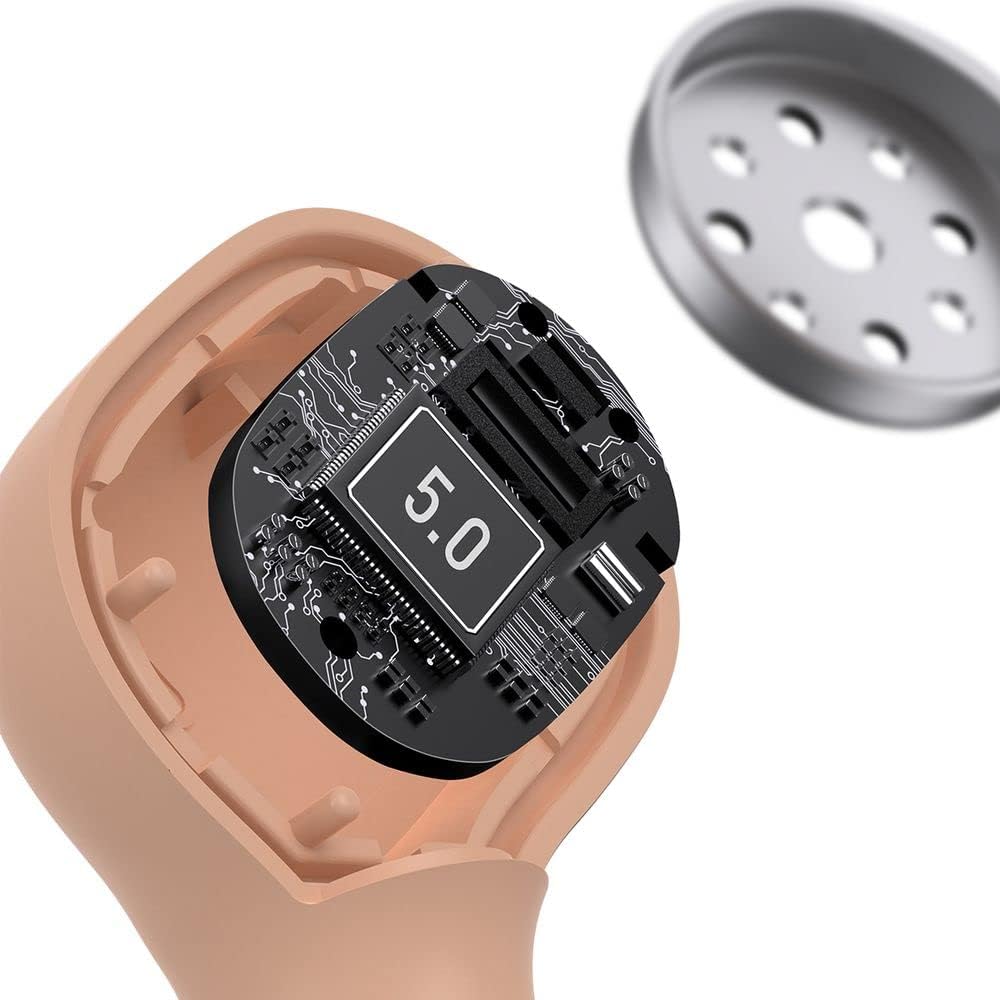
Image: The Baseus Encok W06 earbuds resting inside their open charging case, indicating they are ready for charging or use.

Image: Two Baseus Encok W06 charging cases, one connected via a USB-C cable and another placed on a wireless charging pad, demonstrating charging methods.
2. Hevgirtina Bluetooth
- Piştrast bikin ku guhên guh têne barkirin.
- Qutiya şarjkirinê veke. Guhguhk dê bixweber bikevin moda hevberdanê, ku bi çirayeke biriqok a li ser guhguhkan tê nîşandan.
- Li ser cîhaza xwe (smartphone, tablet, hwd.), Bluetooth-ê çalak bike.
- Search for "Baseus Encok W06" in the list of available Bluetooth devices.
- Select it to connect. Once connected, the indicator light on the earbuds will stop flashing.
Ger Bluetooth li ser cîhazê çalak be, dema ku guhguhk ji qalikê werin derxistin, dê bixweber bi cîhaza dawî ya girêdayî ve werin girêdan.
3. Lixwekirina Guhguhkan
Choose the silicone eartips that provide the best fit and seal for your ears. Insert the earbuds gently into your ear canal and rotate them slightly until they feel secure and comfortable.

Image: A person wearing a Baseus Encok W06 earbud, illustrating how the earbud sits comfortably and securely in the ear.
Telîmatên Operating
The Baseus Encok W06 earbuds feature touch controls for various functions.
- Hêzdarkirin: Open the charging case, or press and hold the touch panel for 3 seconds if earbuds are out of case.
- Hêzdarkirin: Place earbuds back into the charging case and close the lid, or press and hold the touch panel for 5 seconds.
- Lîstik / Rawestandin: Double-tap the touch panel on either earbud.
- Tracka Piştre: Sê caran li guhê rastê bixin.
- Traopa Berê: Sê caran li guhê çepê bixin.
- Bersiv/Dawiya Bangê: Double-tap the touch panel on either earbud during an incoming call.
- Bang red kirin: Press and hold the touch panel on either earbud for 2 seconds during an incoming call.
- Alîkarê Deng çalak bike: Press and hold the touch panel on either earbud for 3 seconds.
Taybetmendiyên sereke
- Double-sided Wireless Charging: The charging case supports wireless charging from both sides, allowing flexible placement on a wireless charging pad.
- APT-X Audio Decoding: Provides high-quality audio transmission for a superior listening experience.
- CVC Noise Canceling: Clear Voice Capture technology reduces background noise during calls for clearer communication.
- Jiyana Battery Berfireh: Offers up to 300 hours of standby time.
- Bluetooth 5.0: Girêdana bêhêl a stabîl û bibandor garantî dike.

Image: A visual representation of the Baseus Encok W06 earbuds and charging case, accompanied by text detailing key features such as two-sided wireless charging, APT-X audio decoding, CVC noise canceling, and 300 hours of battery life.

Wêne: Berfireh view of the internal circuitry of a Baseus Encok W06 earbud, prominently displaying '5.0', signifying its Bluetooth 5.0 connectivity.
Lênerrînî
Paqijî
- Guhguhguhk û qutiya şarjê bi rêkûpêk bi qumaşek nerm, hişk û bêlîf paqij bikin.
- Serên guhan derxînin û bi sabûn û avê nerm paqij bikin, paşê berî ku ji nû ve bi cîh bikin bi tevahî hişk bikin.
- Paqijkerên aşınker, alkol, an çareserkerên kîmyewî bikar neynin.
- Piştrast bike ku têkiliyên şarjkirinê yên li ser hem guhguhkêran û hem jî qutiyê paqij û bê bermahiyên wan in.
Embarkirinî
- Dema ku nayên bikar anîn, guhên guhê di kasa şarjê de hilînin da ku wan biparêzin û bargiran bihêlin.
- Avoid storing in extreme temperatures (hot or cold) or high humidity.
Lênêrîna Pîl
- To preserve battery life, charge the earbuds and case regularly, even if not used frequently.
- Avoid completely draining the battery for extended periods.
Çareserkirina pirsgirêkan
| Pirsegirêk | Çare |
|---|---|
| Guhguhkên guhê bi cîhazê re nayên hevber kirin. |
|
| Deng ji yek an herdu guhguhkan dernakeve. |
|
| Qûtiya şarjê nayê şarjkirin. |
|
Specifications
| Taybetî | Hûrî |
|---|---|
| Nîşan | Baseus |
| Navê Model | NGJW06-04 (W06) |
| Hejmara Modela Babetê | B00F2ZIDTS |
| Teknolojiya Girêdanê | Bêtêl (Bluetooth 5.0) |
| Faktora Forma Headphone | In-Ear |
| Taybetmendiya Cable | Wireless |
| Babetê Weight | 50 gram |
| Mezinahiya Hilberê | 10 x 3 x 2 cm |
| Çêker | Baseus |
| Charging Wireless | Supported (Double-sided) |
| Deşîfrekirina Deng | APT-X |
| Betalkirina Deng | CVC (for calls) |
| Jiyana Pîlê (Rêveberî) | Heta 300 saetan |
Agahiyên Ewlekariyê
- Hilberê ji hev veneqetînin, tamîr nekin, neguherînin.
- Hilberê ji av, şil û germahiya zêde dûr bigirin.
- Ji bo pêşîlêgirtina zirara bihîstinê ji dirêjkirina rêjeyên dengek bilind dûr bixin.
- Li gorî rêziknameyên herêmî, berhem û pîlê wê bi awayekî berpirsiyarane bavêjin.
- Ji zarok û heywanên heywanan dûr bimînin.
Garantî û Piştgirî
Baseus products typically come with a limited warranty. For specific warranty terms and conditions, please refer to the warranty card included in your package or visit the official Baseus website. For technical support, product inquiries, or warranty claims, please contact Baseus customer service or your local retailer.
You can visit the official Baseus store for more information: Dikana Baseus
Ask a question about this manual
Ask about setup, troubleshooting, compatibility, parts, safety, or missing instructions. Manuals+ will review the question and use this page’s manual context to help answer it.