1. Destpêk
This manual provides essential instructions for setting up, operating, and maintaining your BlackBerry BB 9900 Bold Touch smartphone. Please read this guide thoroughly to ensure proper use and to maximize the device's capabilities. The BlackBerry BB 9900 Bold Touch combines a capacitive touchscreen with a full QWERTY keyboard, running on BlackBerry OS 7.
3. Device Serview
Familiarize yourself with the physical features of your BlackBerry BB 9900 Bold Touch.
3.1 Pêş View

Wêne: Pêşî view of the BlackBerry BB 9900 Bold Touch, highlighting the 2.8-inch touchscreen and the physical QWERTY keyboard below it. The device also features a trackpad and call/end buttons.
- Nîşandana ekrana destikê: 2.8-inch capacitive display for interactive navigation.
- Klavyeya QWERTY: Full physical keyboard for efficient typing.
- Optical Trackpad: For precise navigation and selection.
- Call/End Buttons: Standard telephony controls.
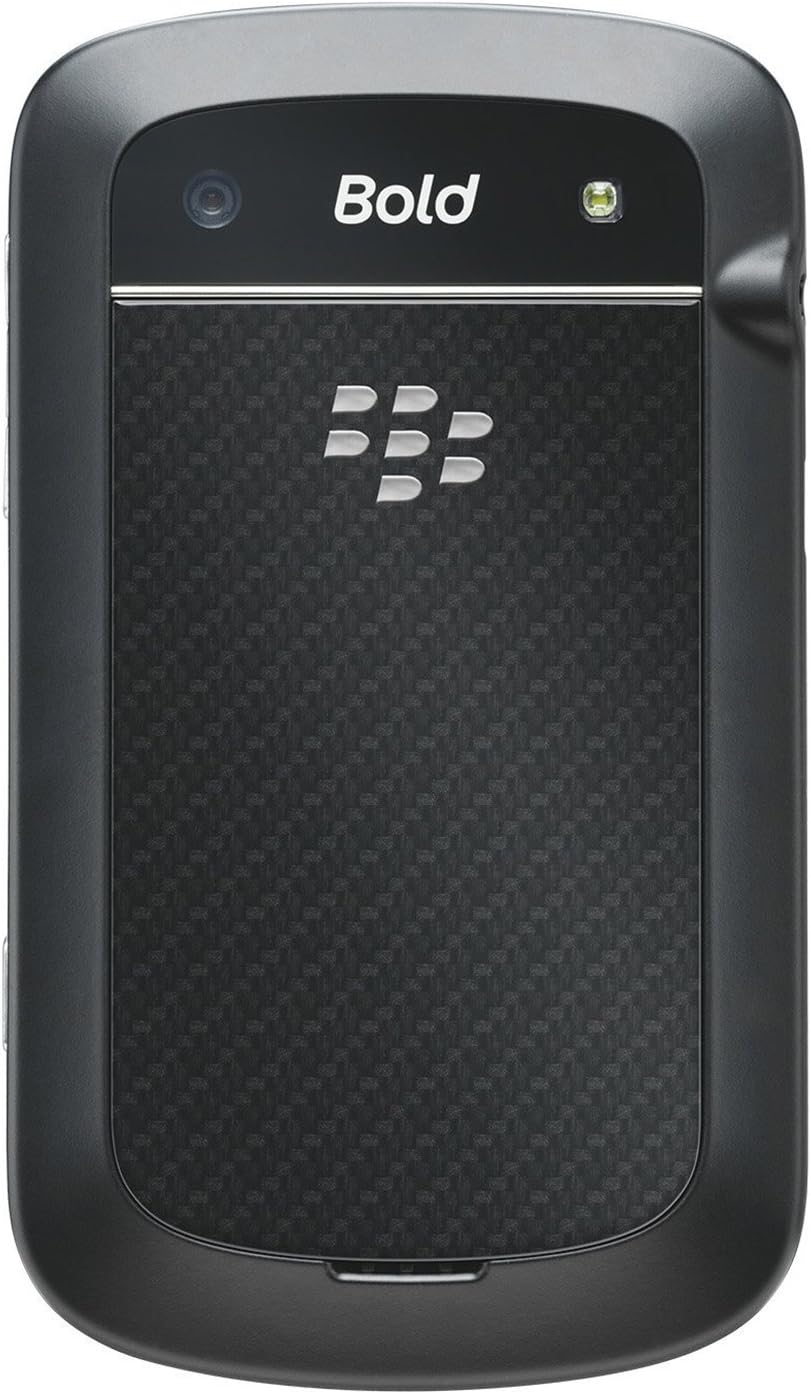
3.2 Paş View

Wêne: Paş view of the BlackBerry BB 9900 Bold Touch, featuring the 5-megapixel camera lens, LED flash, and the BlackBerry logo.
- Kamera 5MP: Primary camera with autofocus and LED flash.
- Berga pîlê: Removable cover for battery and SIM card access.
3.3 Alî View
Wêne: Alî view of the BlackBerry BB 9900 Bold Touch, illustrating the placement of the volume control buttons and a customizable convenience key.
- Bişkokên Dengê: Astên dengî rast bike.
- Convenience Key: Customizable shortcut button.
5. Telîmatên Operating
5.1 Touch Screen Navigation
- Dîk: Touch the screen briefly to open applications, select items, or activate buttons.
- Bişo: Drag your finger across the screen to scroll through lists or switch between home screen panels.
- Biçipîne bo Zoomkirinê: Use two fingers to zoom in or out on photos, web pages, or maps.
5.2 Using the QWERTY Keyboard
The physical QWERTY keyboard allows for fast and accurate text entry. Each key corresponds to a letter, number, or symbol. Use the 'Alt' key for alternate characters and the 'Shift' key for capitalization.
5.3 Bangkirin
- From the home screen, tap the Phone icon or press the green Call button.
- Enter the phone number using the keyboard.
- Press the green Call button to initiate the call.
- To end a call, press the red End Call button.
5.4 Şandina Peyam
- Tap the Messages icon from the home screen.
- Select 'Compose New' or similar option.
- Hejmara wergir binivîse an jî ji têkiliyan hilbijêre.
- Type your message using the QWERTY keyboard.
- Tap 'Send'.
5.5 Bikaranîna Kamerayê
- Tap the Camera icon to open the camera application.
- Wêneya xwe bi karanîna ekranê wekî çarçoveyekê çêbike viewpeydakir.
- Tap the screen or press the convenience key (if configured) to take a photo.
- The 5MP camera features autofocus and an LED flash for improved image quality.
5.6 Girêdana bi Wi-Fi
- Go to 'Options' > 'Networks and Connections' > 'Wi-Fi'.
- Turn Wi-Fi on. The device will scan for available networks.
- Tora xwe ya xwestî hilbijêrin û heke ji we were xwestin şîfreya binivîsin.
- Once connected, the Wi-Fi indicator will appear in the status bar.
5.7 Using NFC (Near Field Communication)
The BlackBerry BB 9900 Bold Touch supports NFC for short-range wireless communication. This allows for quick pairing with compatible accessories or sharing data with other NFC-enabled devices by tapping them together.
- Piştrast bikin ku NFC di mîhengên cîhaza we de çalak e.
- Hold your device close to another NFC-enabled device or tag.
- Follow on-screen prompts to complete the desired action (e.g., pairing, data transfer).
9. Piştgirî û Garantî
9.1 Piştgiriya Mişterî
For technical assistance, troubleshooting beyond this manual, or service inquiries, please visit the official BlackBerry support website or contact your local service provider. Refer to the packaging or official webmalper ji bo agahdariyên têkiliyê yên taybetî.
9.2 Agahî Garantî
Your BlackBerry BB 9900 Bold Touch is covered by a limited warranty. Please refer to the warranty card included in your product packaging or visit the official BlackBerry webji bo şert û mercên berfireh, tevî serdema garantiyê û taybetmendiyên vegirtinê, li malperê binêrin. Delîla kirîna xwe ji bo îdiayên garantiyê biparêzin.
