
1. Destpêk
This manual provides detailed instructions for the safe and proper installation and operation of your SONAX CorLiving PM-2220 Tilting Wall Mount Stand. Please read all instructions carefully before beginning installation and retain this manual for future reference.
Hişyariyên Ewlekariyê:
- Always ensure the wall structure can safely support the combined weight of the mount and your television.
- Use appropriate tools and follow all steps precisely. Seek professional assistance if you are unsure about any part of the installation process.
- Ji kapasîteya giraniya herî zêde ya 165 lbs (75 kg) derbas nebe.
- Ev hilber tenê ji bo karanîna hundurîn e.
2. Naveroka pakêtê
Before installation, please verify that all components listed below are present and undamaged. If any parts are missing or damaged, do not proceed with installation and contact customer support.
- Plateya Dîwarê (1)
- Brackets TV (2)
- Assorted Lag Bolts, Washers, and Anchors for wall mounting
- Assorted Screws, Washers, and Spacers for TV attachment
- Destûra Rêbernameyê (1)
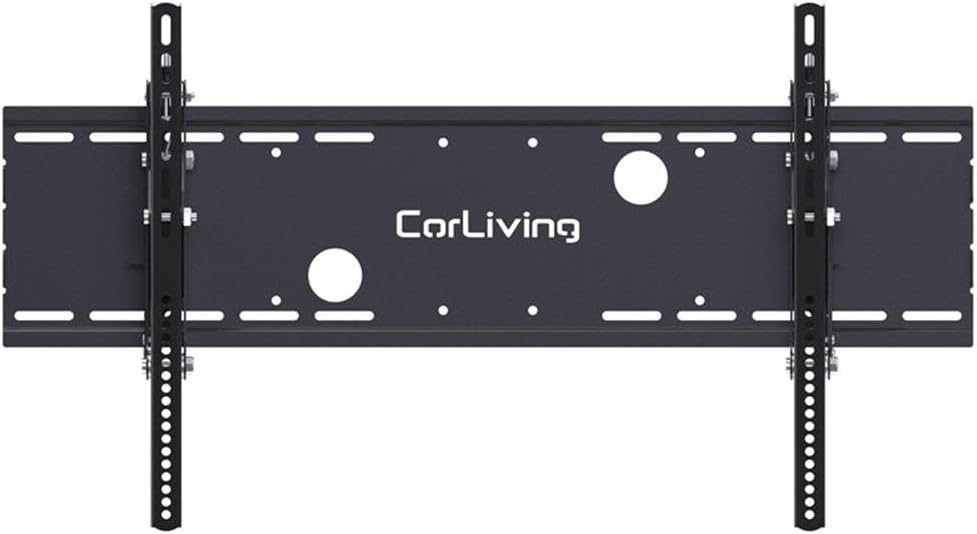
Wêne: Pêşî view of the wall mount components, showing the main wall plate and the two vertical TV brackets.
3. Sazkirin û Sazkirin
Ji bo sazkirina bi ewlehî û rast a lêdana dîwarê televîzyona xwe, van gavan bi baldarî bişopînin.
Gav 1: Dîwar amade bikin
- Locate wall studs using a reliable stud finder. The extra wide wall plate (35.75 inches / 90.5 cm) is designed to accommodate standard 16-inch and 24-inch wall stud spacing.
- Mark the desired height and horizontal center for your television. Use a level to ensure the marked drilling locations are perfectly horizontal.
- Drill pilot holes at the marked locations. The size of the drill bit will depend on the type of lag bolts and wall anchors provided and your wall material. Refer to the hardware packaging for specific drill bit recommendations.

Image: Detailed dimension diagram of the wall mount, useful for planning installation and stud placement.
Gav 2: Plateya Dîwarê bi Dîwarê ve girêdin
- Align the wall plate with the drilled pilot holes.
- Secure the wall plate to the wall studs using the provided lag bolts and washers. Use a socket wrench or appropriate tool to tighten all bolts securely until the wall plate is firmly attached to the wall. Do not overtighten.
Pêngava 3: Pêvekên TV-yê bi TV-yê ve girêdin
- Ji bo ku zirarê negihîne ekranê, bi baldarî televîzyona xwe bi rûyê xwe ber bi jêr ve deynin ser rûyekî nerm û paqij.
- Identify the VESA mounting holes on the back of your TV. This mount supports VESA sizes from 200x200 to 800x400.
- Ji kîteya alavên peyda kirî, vîd, şûşe û spacerên guncaw hilbijêrin ku li kunên montajê yên TV-ya we diguncin.
- Attach the two vertical TV brackets to the back of your television. Ensure the brackets are oriented correctly (hooks facing upwards) and are securely fastened.

Wêne: Alî view illustrating how the TV bracket attaches to the wall plate and the tilt functionality.
Step 4: Mount Television to Wall Plate
- Bi alîkarîyê, bi baldarî televîzyonê bi kelepçeyên pêvekirî rakin.
- Hook the top of the TV brackets onto the top edge of the wall plate.
- Gently lower the television until the brackets fully engage with the wall plate.
- Engage the security locking system at the bottom of the TV brackets to prevent accidental dislodgement. (Note: A padlock for additional security is not included).

Image: The SONAX CorLiving PM-2220 wall mount installed with a television.
4. Telîmatên Operating
Eyarkirina Angle Tilt
The PM-2220 mount features an adjustable forward tilt of up to 15 degrees. To adjust the viewing angle:
- Locate the tilt adjustment knobs on the side of the TV brackets.
- Loosen these knobs sufficiently to allow movement.
- Carefully tilt the television to your desired viewAngle.
- Re-tighten the tilt adjustment knobs firmly to secure the television in place.
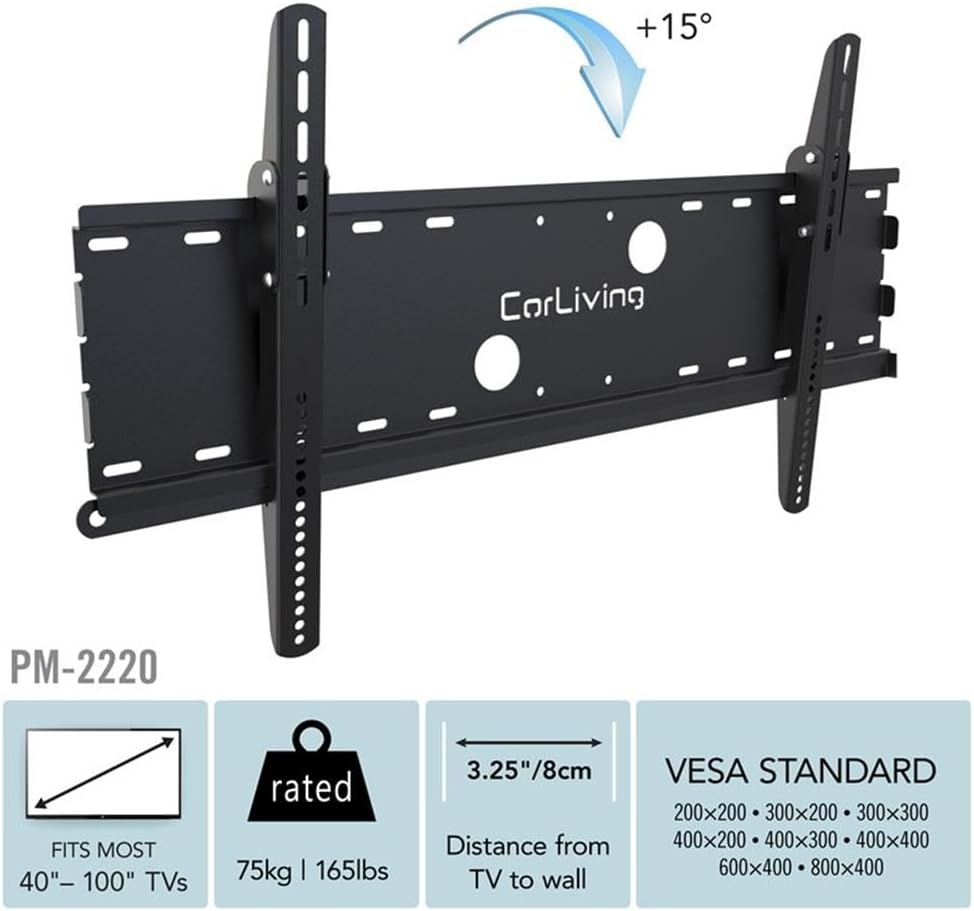
Image: Diagram showing the adjustable 15-degree tilt feature of the mount.
Security Locking System
The mount includes a locking system at the bottom of the TV brackets to prevent accidental lifting and dislodgement of the television from the wall plate. Ensure this mechanism is engaged after mounting the TV. For enhanced security, a padlock (not included) can be inserted through the designated holes in the locking system.
5. Maintenance
- Kontrolên Peryodîk: Periodically (e.g., every 6 months) check all screws, bolts, and connections to ensure they remain tight and secure. Re-tighten if necessary.
- Paqijî: Clean the mount with a soft, dry cloth. Avoid using abrasive cleaners, solvents, or chemical-based cleaning products, as these may damage the finish.
- Kontrolkirina zirarê: If any part of the mount appears damaged or worn, discontinue use and contact customer support for assistance.
6. Destpêkirin
- Issue: Television is not level after installation.
Çare: Ensure the wall plate was installed perfectly level. If not, carefully loosen the lag bolts, adjust the wall plate using a level, and re-tighten securely. Alternatively, some TVs allow for minor leveling adjustments on the brackets themselves. - Issue: Mount feels loose or unstable.
Çare: Verify that all lag bolts securing the wall plate to the wall studs are fully tightened. Also, ensure the screws attaching the TV brackets to the television are secure, and the security locking system is engaged. - Issue: Difficulty adjusting the tilt angle.
Çare: Ensure the tilt adjustment knobs on the side of the TV brackets are sufficiently loosened before attempting to change the angle. Once the desired angle is achieved, re-tighten the knobs firmly.
7. Specifications
| Taybetî | Specification |
|---|---|
| Hejmara Model | PM-2220 |
| Nîşan | SONAX |
| Çêker | CorLiving |
| Mezinahiyên TV-yê lihevhatî | 40" - 100" Flat and Curved Panel TVs |
| Weight Capacity | 165 lbs (75 kg) |
| Mounting Type | Çiyayê dîwar |
| Tîpa Tevgera | Tilt |
| Angle Tilt Maximum | 15 Degrees Forward |
| Compatibility VESA | 200x200, 300x200, 300x300, 400x200, 400x300, 400x400, 600x400, 800x400 |
| Dûrahiya ji Wall | 3.5" (8.8 cm) |
| Wall Plate Width | 35.75" (90.5 cm) |
| Mal | Heavy Duty Steel with Powder Coated Finish |
| Reng | Reş |
| Item Weight (Mount Only) | 13 lîre |
| Pîvana Hilberê (Packaging) | 3 x 36 x 20 inches |
8. Garantî û Piştgirî
For warranty information regarding your SONAX CorLiving PM-2220 Tilting Wall Mount Stand, please refer to the documentation included with your purchase or visit the official SONAX website. For technical support, troubleshooting assistance, or to inquire about replacement parts, please contact SONAX customer service directly. Contact details can typically be found on the product packaging or the manufacturer's website.